GitLab OIDC to AWS: the trust policy and the CI job
How we connected GitLab CI to AWS via OIDC, with a tight trust policy, one role for all projects, and the ACLSizePerRole limit we almost hit.
- CI/CD
- Auth
- Operations
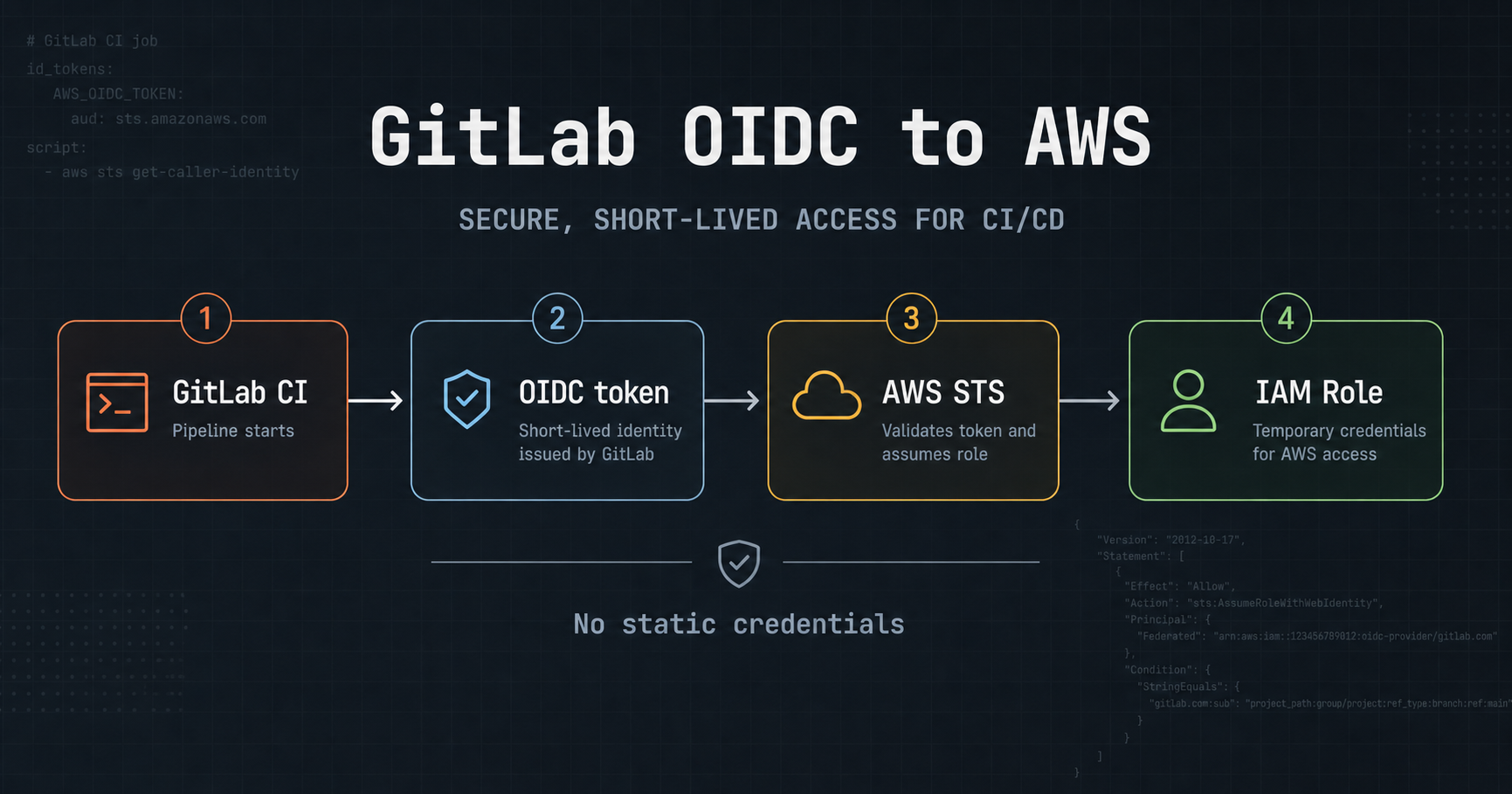
This topic can quickly become verbose because it mixes IAM, CI and security. This article does the opposite: show the minimal path that works, then say where it breaks — including the AWS limit we did not see coming.
The pattern in five lines
The core setup:
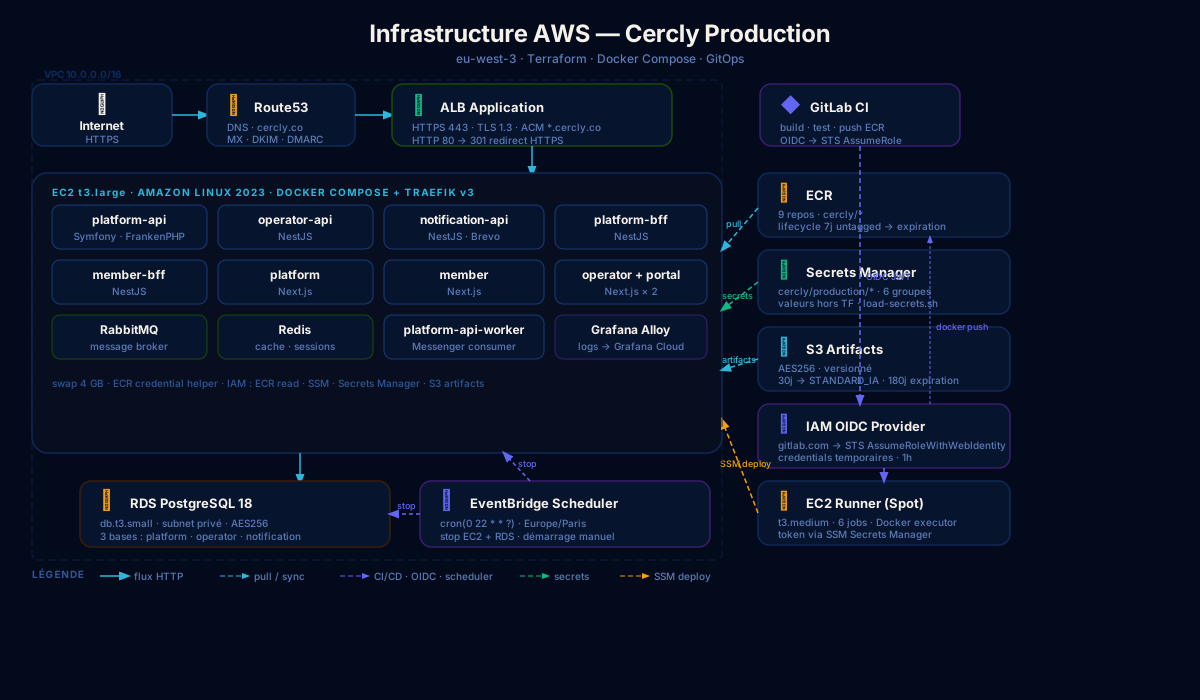
- a GitLab OIDC provider registered in IAM
- a trust policy with
StringLikeongitlab.com:sub - an
audset tosts.amazonaws.com assume-role-with-web-identityin the CI job- one shared role across multiple projects, with short sessions (1h)
The reader should be able to reconstruct the setup without reading a 40-page AWS guide.
The Terraform trust policy
# cicd.tf
locals {
  gitlab_build_subjects = [
    "project_path:keyson/cercly/*:ref_type:branch:ref:main",
    "project_path:keyson/cercly/*:ref_type:branch:ref:develop",
    "project_path:keyson/cercly/*:ref_type:tag:ref:*",
  ]
}

data "aws_iam_policy_document" "gitlab_build_assume_role" {
  statement {
    effect  = "Allow"
    actions = ["sts:AssumeRoleWithWebIdentity"]

    principals {
      type        = "Federated"
      identifiers = [aws_iam_openid_connect_provider.gitlab.arn]
    }

    condition {
      test     = "StringEquals"
      variable = "gitlab.com:aud"
      values   = ["sts.amazonaws.com"]
    }

    condition {
      test     = "StringLike"
      variable = "gitlab.com:sub"
      values   = local.gitlab_build_subjects
    }
  }
}
The StringLike with wildcard * covers all projects under keyson/cercly/ without enumerating each repo.
The CI job
# templates/docker-build.yml
.assume_aws_role: &assume_aws_role
  - >
    export $(printf "AWS_ACCESS_KEY_ID=%s AWS_SECRET_ACCESS_KEY=%s AWS_SESSION_TOKEN=%s"
    $(aws sts assume-role-with-web-identity
    --role-arn "$AWS_BUILD_ROLE_ARN"
    --role-session-name "gitlab-build-${CI_PROJECT_NAME}-${CI_PIPELINE_ID}"
    --web-identity-token "$CI_JOB_JWT_V2"
    --duration-seconds 3600
    --query "Credentials.[AccessKeyId,SecretAccessKey,SessionToken]"
    --output text))
No static credentials. The OIDC token is provided by GitLab for each job via $CI_JOB_JWT_V2, exchanged for temporary AWS credentials valid for 1 hour.
The limit we did not see coming
We had initially listed each project explicitly in the trust policy:
gitlab_build_subjects = [
  "project_path:keyson/cercly/apis/operator-api:ref_type:branch:ref:main",
  "project_path:keyson/cercly/apis/platform-api:ref_type:branch:ref:main",
  "project_path:keyson/cercly/bff/member-bff:ref_type:branch:ref:main",
  # ... 8 more projects
]
When we added portal and mobile, the CI deploy failed with:
LimitExceeded: Cannot exceed quota for ACLSizePerRole: 2048AWS limits the total size of trust policies to 2048 characters per role. With long project paths multiplied by 3 authorized branches (main, develop, tags), we hit the limit with 5-6 projects.
The fix: replace enumeration with a wildcard on the namespace:
gitlab_build_subjects = [
  "project_path:keyson/cercly/*:ref_type:branch:ref:main",
  "project_path:keyson/cercly/*:ref_type:branch:ref:develop",
  "project_path:keyson/cercly/*:ref_type:tag:ref:*",
]
Three lines instead of thirty. All current and future projects under keyson/cercly/ are covered. The * wildcard in StringLike is natively supported by IAM.
The only guard lost: a project outside the keyson/cercly/ namespace can no longer slip in by mistake. But it is the same GitLab namespace — if someone has access to the namespace, they have access to the projects.
The operational checklist
To add a new project:
- Create the GitLab project under
keyson/cercly/ - Add the ECR repo in Terraform (
var.ecr_services) - Apply Terraform — the ECR repo and permissions are created
- Push a first image — it works immediately
No need to touch the trust policy for each new project.
In hindsight
A good OIDC integration is mostly judged by its readability when adding one more project. The enumeration version looked precise and secure. It was mostly fragile: each new project was an opportunity to forget a line, hit the limit, or plan a Terraform apply before the first push.
The wildcard is less explicit. It is more robust.