SSM vs SSH: which access should remain for EC2 deployments?
Why we deploy to EC2 through AWS Systems Manager instead of direct SSH, what that really simplifies, and what it does not replace.
- Operations
- Auth
- CI/CD

On an EC2 instance, many teams keep SSH around out of habit.
The reasoning is straightforward: we want to be able to enter the machine if something breaks.
The problem is that this emergency path often becomes the normal deployment path.
The real subject
The question is not whether SSH works. Of course SSH works.
The question is which access path we want to normalize for production:
- a permanent network access exposed by the machine;
- or a remote command triggered through IAM, traced by AWS, with no port 22 open.
In our case, the second option was the right one.
Why we keep SSM for deployments
AWS Systems Manager gives us three useful things at once:
- no SSH keys to distribute or rotate;
- no port 22 to expose;
- an execution triggered from the pipeline with an explicit AWS identity.
In other words, deployment becomes an IAM permissions and replayable commands topic, not a persistent shell access topic.
What SSH too easily encourages
SSH is not bad in itself. The issue is what it encourages in many organizations:
- “I will just connect to check”
- “I will fix it manually, we will automate it later”
- “I will restart the service myself”
Taken once, that shortcut looks harmless. Repeated many times, it creates a production environment that lives partly outside code and outside the pipeline.
What SSM does not replace
SSM is not a talisman.
It does not replace:
- readable deployment commands;
- proper secret loading;
- usable logs;
- a runbook when deployment fails.
It simply moves the control point: fewer permanent machine access paths, more explicit and scriptable actions.
Our simple criterion
For a normal application deployment, we prefer:
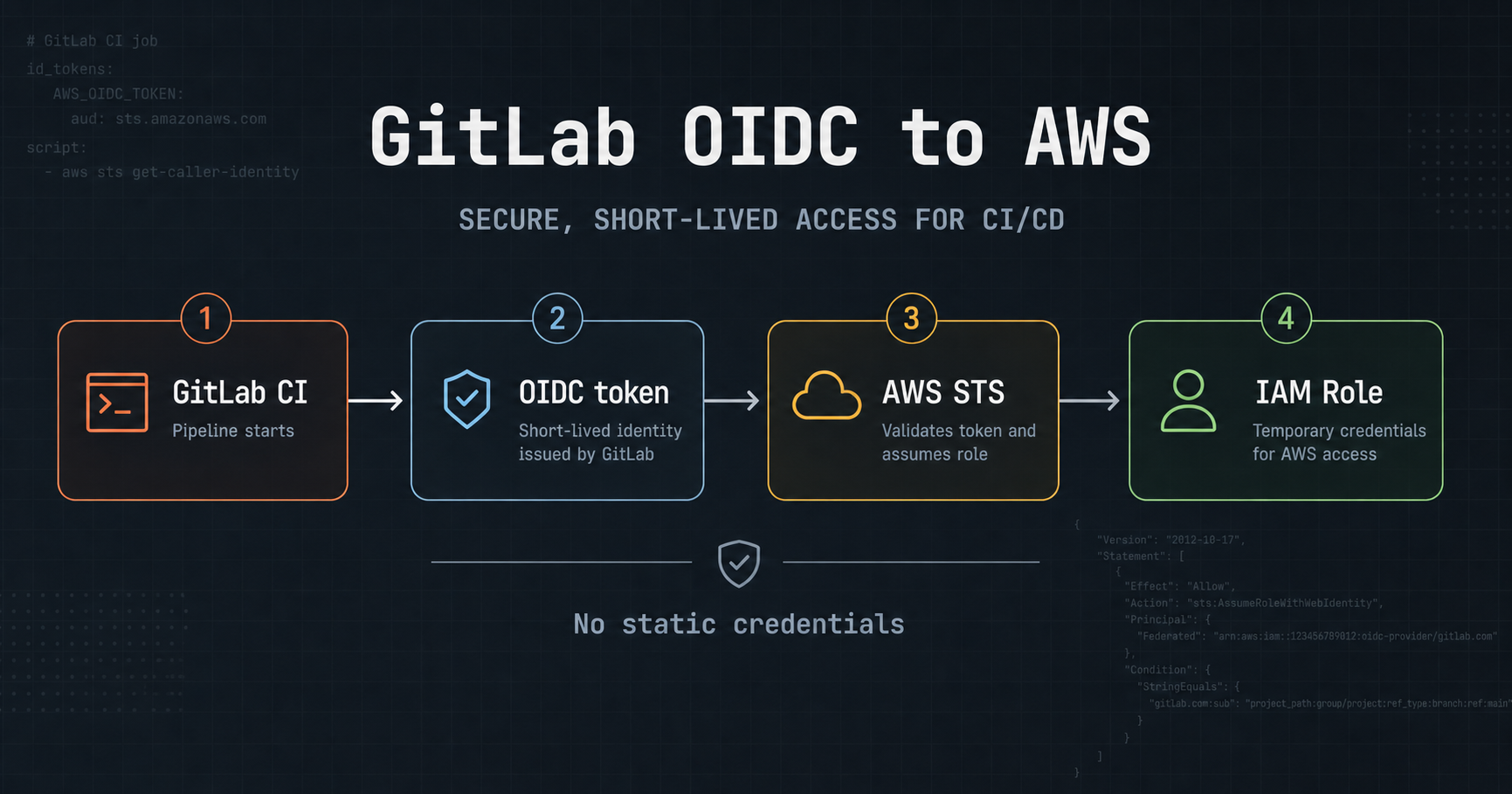
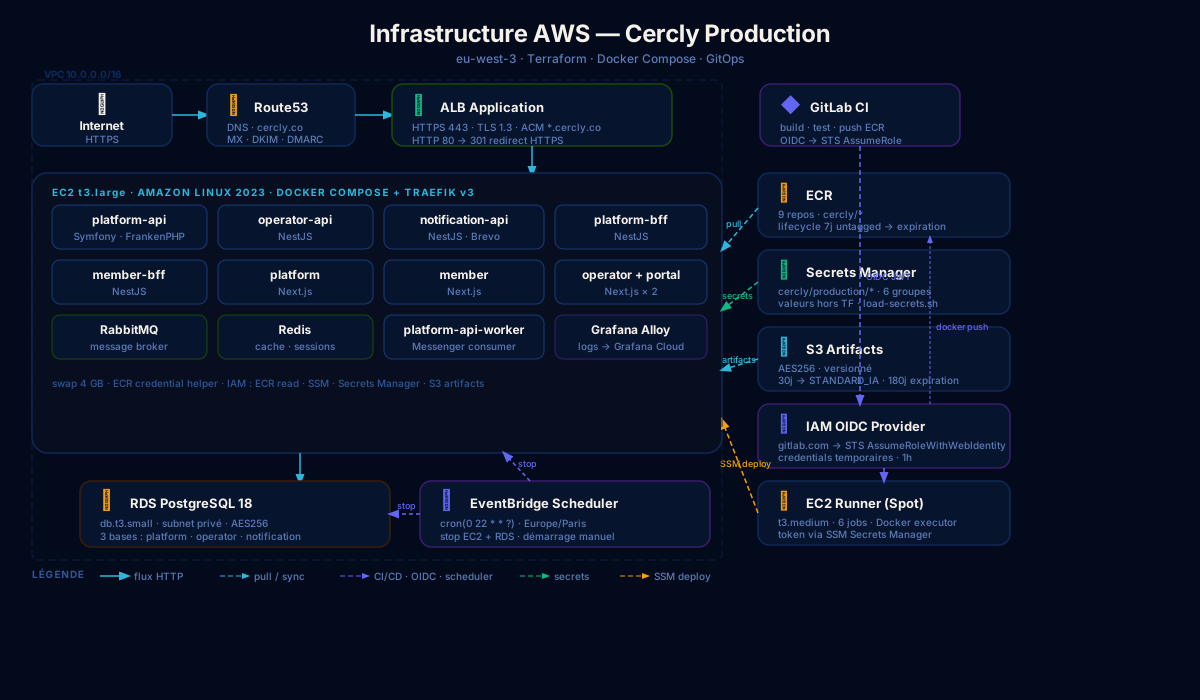
- CI through OIDC to obtain temporary credentials;
- SSM to execute the command on the instance;
- zero direct SSH in the nominal path.
If someone has to enter the machine manually for the deployment to succeed, the deployment system is usually not clean enough yet.
In hindsight
The main gain is not “security” in the abstract.
The real gain is operational discipline.
SSM helps us keep a clear boundary:
- the pipeline deploys;
- IAM authorizes;
- the machine executes;
- and production does not depend on a private key still lying around somewhere.